

Whether you are purchasing a new number through Engage or porting in an existing number from an outside carrier, all numbers for organizations that send SMS messages to U.S. numbers must get their numbers approved through The Campaign Registry (TCR).
This is not a FieldPulse requirement. This is an industry wide compliance program enforced by mobile carriers to reduce spam and protect consumers.
This only impacts texting (SMS messaging); calling is not affected
If not completed, your business may be unable to send texts
Mobile carriers now require proof that businesses texting customers have proper SMS compliance content published online (Terms + Privacy + SMS opt in information) before campaigns can be reviewed and verified.
When you log into Engage, you’ll need to provide the following business details:
Company Details:
Legal Business Name
EIN / Tax ID
Business Type
Website URL
Business Address
Account Representative:
First and Last Name
Job Title
Phone Number
Email Address
FieldPulse will then submit this information to TCR for brand registration.
After your brand submission, mobile carriers require two SMS compliance pages to be published on your business website before your texting can be approved. These must be public links hosted on your own website domain (example: yourcompany.com).
Required Page 1: SMS Terms and Privacy Policy
A single public webpage that contains both SMS Terms and SMS Privacy Policy content.
Required Page 2: SMS Opt-In Form
A single public webpage that includes your SMS opt-in language and opt-in form.
These pages must be publicly accessible (no login required).
These pages must be hosted on your business website domain.
These pages are necessary for carrier review and approval; this is not a FieldPulse requirement.
To streamline the process and ensure that your wording remains compliant, FieldPulse can provide your business with the following:
iFrame Code: Copy and paste the iFrame code for each compliance page.
The iFrame will display carrier-approved compliance wording that includes your brand information.
Create two webpages on your site.
Paste the iFrame snippet into each page.
Publish the pages.
Copy the final live URLs back into Engage.
That works too! You are welcome to publish your own SMS Terms and Privacy Policy page and SMS Opt-In Form page, as long as both pages are publicly accessible and meet carrier compliance requirements.
Once your compliance pages are live, paste the two public website links into Engage:
SMS Terms and Privacy Policy URL
SMS Opt-In Form URL
FieldPulse will then submit these links to TCR for campaign registration.
SMS verification may take 2 to 6 weeks following the submission of all required information and compliance links.
To check your 10DLC status in Engage, follow these steps:
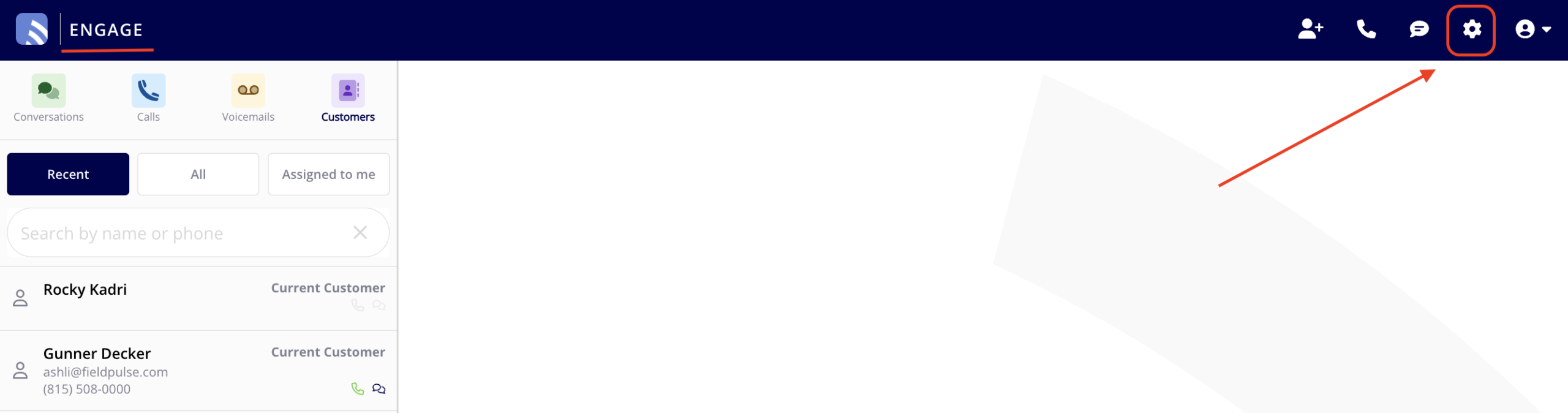
Navigate to your Engage Settings.
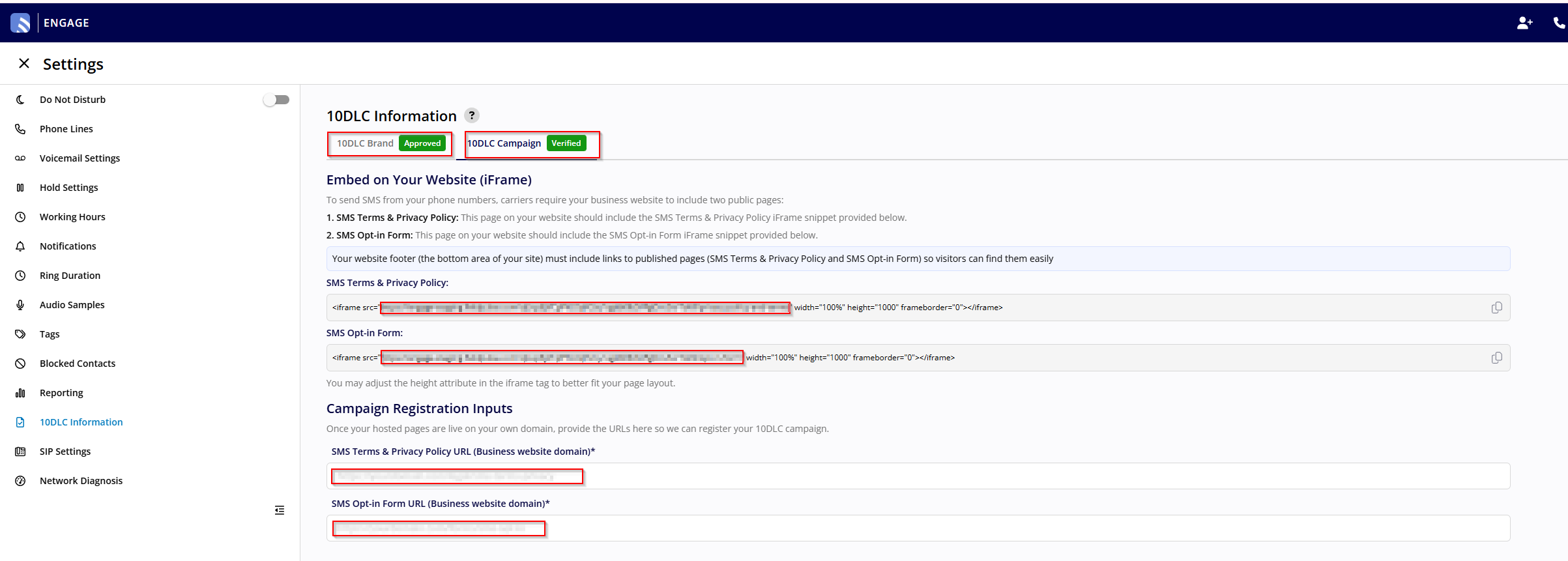
Click on the 10DLC Information tab in the left-side menu.
You’ll then be able to see the following:
Your submitted business information
Your brand status
Your campaign status
If your 10DLC registration is rejected, you will need to contact FieldPulse Support. Provide them with any updated information and URLs and they will resubmit on your behalf.